




The platforms became APIs. Why AI agents still need interfaces.
Published Every external claim linked to a primary source
AI agents do not make user interfaces obsolete. When software platforms expose their capabilities through APIs and the Model Context Protocol, product teams still need designed surfaces for oversight, intervention, and accountability.
The platform may no longer supply the only screen. People still need to see what an AI agent is doing, what changed, where it failed, and when to step in. The interface stops being something you receive and becomes something you own.
In 2026, Salesforce announced Headless 360. It makes every major platform capability reachable through an API, an MCP tool, or a CLI command, with more than sixty MCP tools across the launch. The hosted Headless 360 MCP server entered beta in July 2026.
The phrase worth sitting with is in Salesforce’s own description: the browser interface becomes optional. That does not mean their interface disappeared. It means the browser is now one surface among custom applications, collaboration tools, agents, and command-line workflows.
Which leaves a question nobody has to answer while the vendor still owns the screen. If the platform no longer supplies the only interface, who decides what a person should see?
What does it mean when a software platform becomes an API?
An API-first or headless platform exposes its data and actions programmatically instead of requiring every task to happen inside the vendor’s browser interface.
MCP extends that idea to AI systems. The Model Context Protocol is an open standard that lets compatible AI clients discover and use external tools and data through one shared interface. Anthropic released MCP in November 2024, and the project launched an official public registry in September 2025.
I would not build an argument on one vendor’s launch, so I went looking for whether this was Salesforce or the industry.
- Neutral governance
- Anthropic contributed MCP to the Linux Foundation's Agentic AI Foundation in December 2025, alongside projects from Block and OpenAI.
- OpenAI
- Added remote MCP server support to its Responses API in May 2025.
- Announced native SDK support for MCP definitions in the Gemini API at Google I/O 2025.
- First-party servers
- GitHub, Stripe, Shopify, Figma, Notion, Linear and Supabase publish first-party MCP servers or endpoints.
Two of those matter more than the rest. A company does not hand a strategic asset to a foundation; it hands over the things that have to stay neutral for everyone to build on. And competitors do not adopt a rival’s protocol unless standing outside it costs more than joining.
This is evidence of broad adoption. It is not evidence that every product is headless or that vendor interfaces are going away. Coverage, permissions, and maturity vary.
What changes when the vendor interface is no longer the default?
Buying operational software has meant buying somebody else’s opinion about how the work should look. The CRM decides what a pipeline is. The analytics platform decides which numbers sit next to each other. You configure the edges, and where the arrangement does not match how your team thinks, you adapt to the software.
That arrangement had one quiet benefit. Nobody on your side had to design anything. The interface came in the box.
When the same capabilities arrive through APIs and MCP tools, a team can arrange data and actions around its own workflow instead. The vendor’s interface stays available. It stops being the only possible arrangement.
What should an operator see when they arrive in the morning?
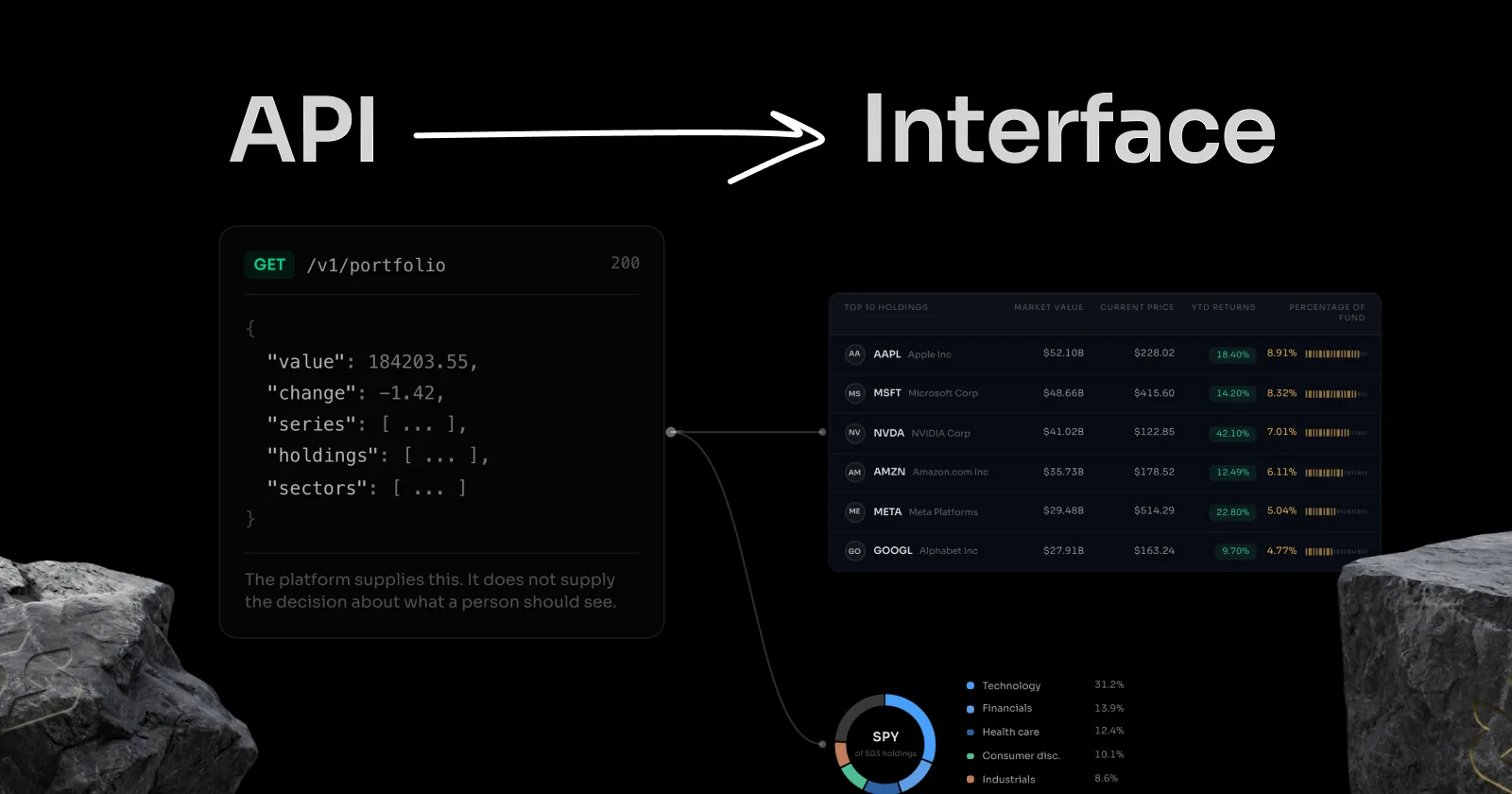
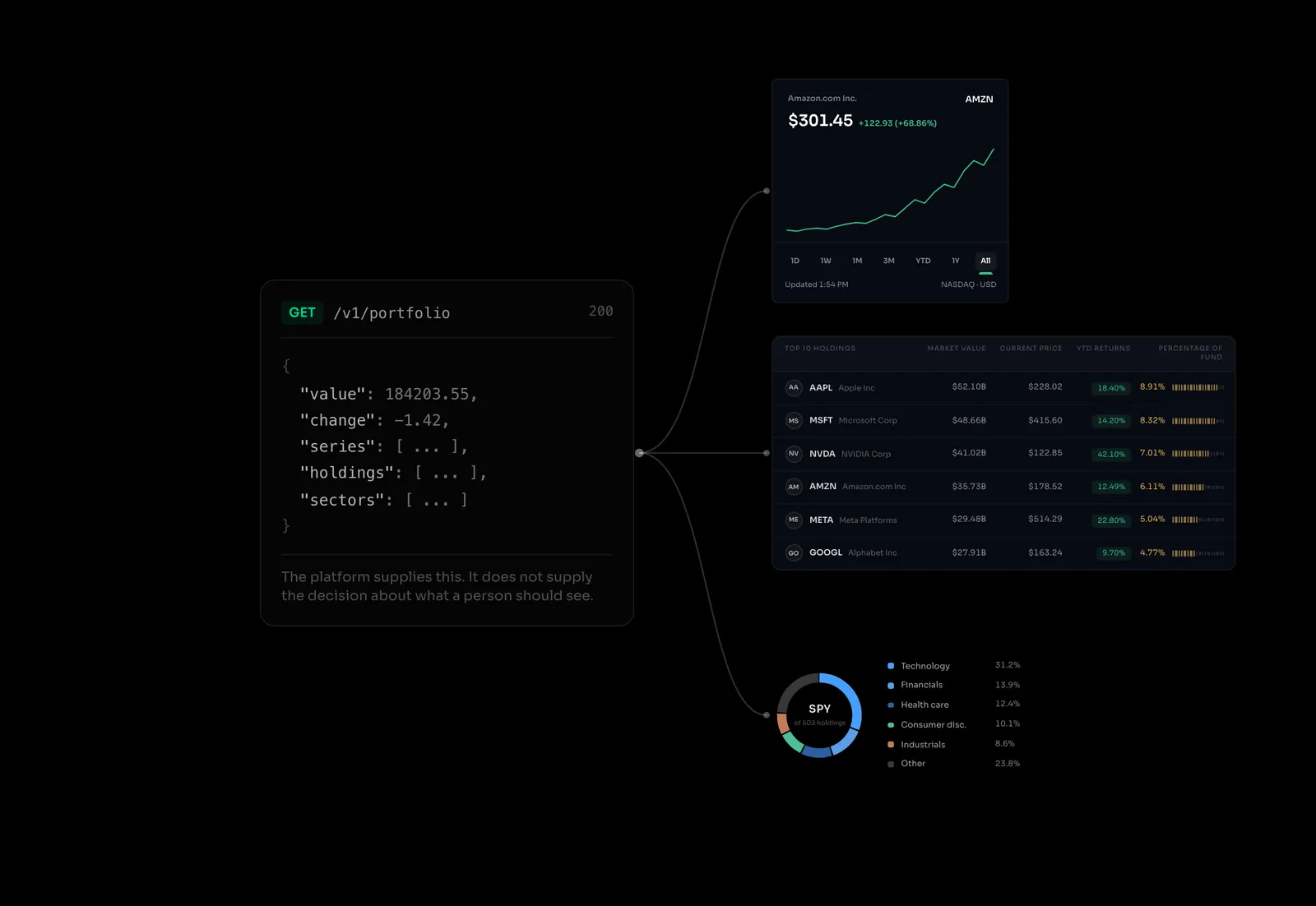
No API answers that. It is a product design question, and the vendor has stopped volunteering one.
Do AI agents make user interfaces obsolete?
No. Agents remove the need for an interface in low-stakes tasks. Consequential workflows still need a human-facing surface.
If an agent is reconciling payments, adjusting inventory, publishing content, or escalating a support case, somebody remains accountable for the outcome. A chat response covers an occasional request. It does not cover continuous oversight, exception handling, or approval.
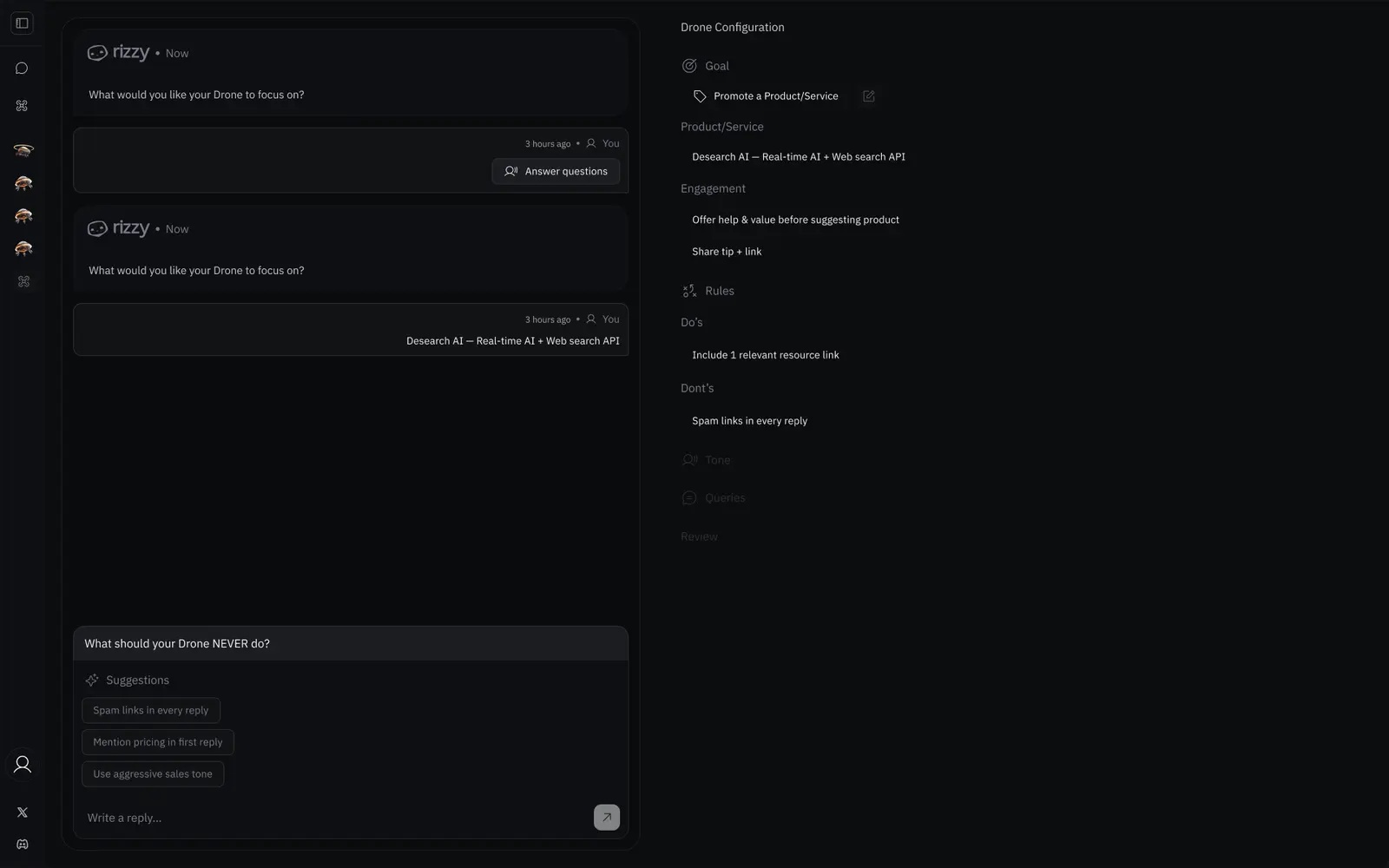
An agentic interface is a human-facing surface that makes an agent’s activity understandable and controllable. A useful one answers five questions:
- 1What is the agent doing now?
- 2Which data and tools did it use?
- 3What changed as a result?
- 4Where is it waiting, uncertain, or failing?
- 5What can a person approve, correct, stop, or retry?
Five states get skipped in almost every mockup: running, waiting, blocked, failed, needs review. In an AI-operated workflow they are the product.
Why interface design matters more in high-stakes AI workflows
Agents change who supplies the interface, and they raise the stakes of what it communicates.
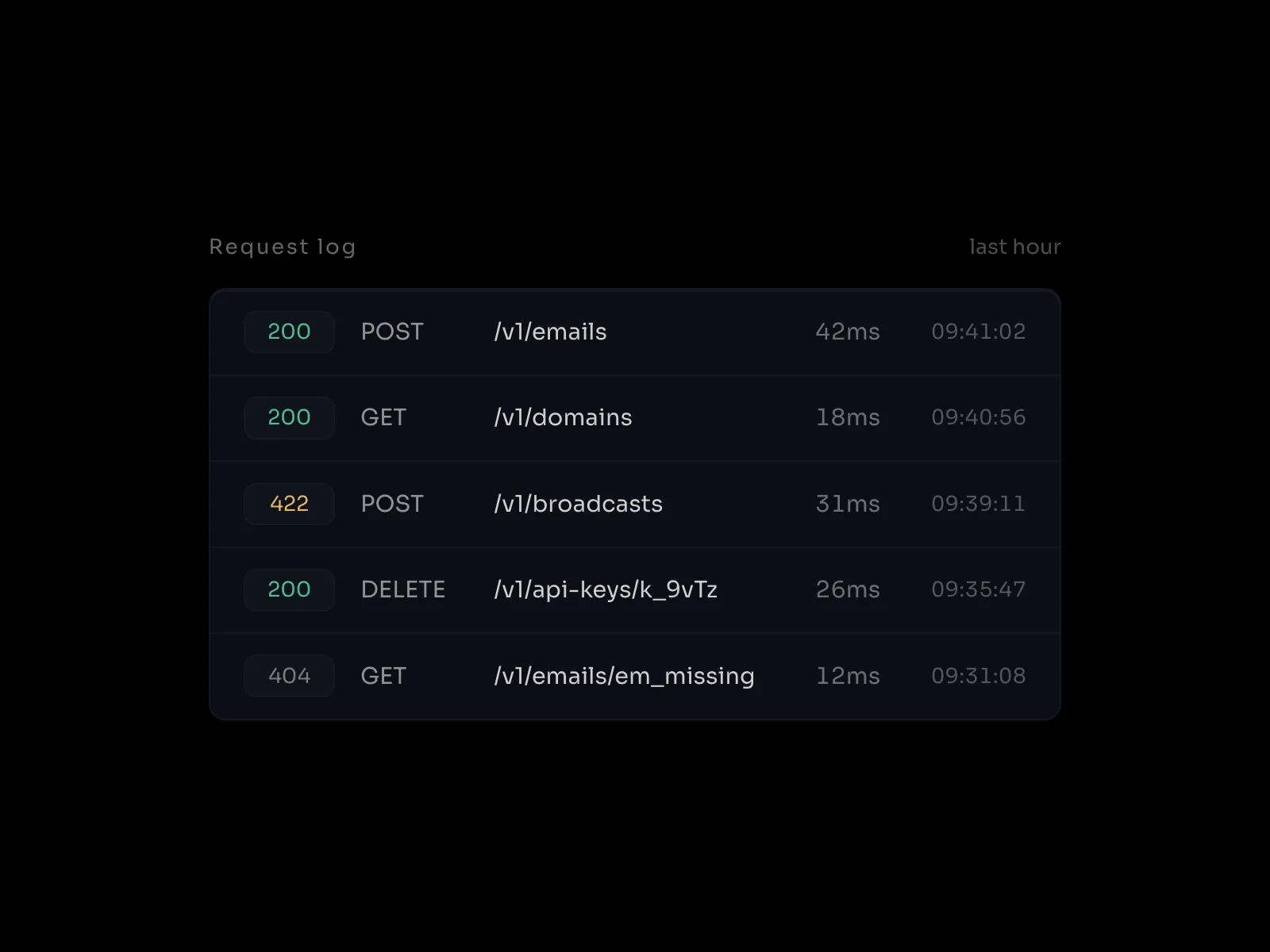
A good operational surface does more than display output. It establishes hierarchy, shows provenance, separates what the system did from what it recommends, surfaces exceptions, and gives somebody a way to intervene before a mistake gets expensive.
There is a real counterargument and I do not want to skip it. Plenty of teams will point an agent at an API, take the answer in a chat window, and never build anything. For lightweight or reversible work that is the right call, and it covers more cases than people in my line of work like to admit.
The dividing line is consequence and repetition:
- Being wrong is cheap and the task is occasional, so a conversation is enough.
- The same judgement happens daily, so a structured surface starts paying for itself.
- A mistake is expensive, so somebody needs a reliable way to inspect and intervene.
Most of my work now sits on the third line. Dense product interfaces, AI search, dashboards, and the operational states around them. I decide the information hierarchy and interaction model, then use AI-assisted development to turn those decisions into working software. The coding tools handle a lot of the implementation. Production systems still need engineering review for security, reliability, and maintenance.
A worked example: seven analytics tools, one interface
In late July 2026 I built an analytics console for my own site, because no single product would show me the relationship between search visibility, behaviour, performance, uptime, and errors.
The data sat in seven places: Google Search Console, Google Analytics 4, Bing Webmaster Tools, Vercel Web Analytics, PageSpeed Insights, Checkly, and Sentry. Seven products, seven logins, and not one of them could see the others. Search Console knows what people searched. Analytics knows what they did next. Neither knows whether the site was up when they arrived.
So I decided what belonged on the same screen and directed the implementation from there. The collector reads each API, normalises the output, and lets any single source fail on its own instead of taking down the view.
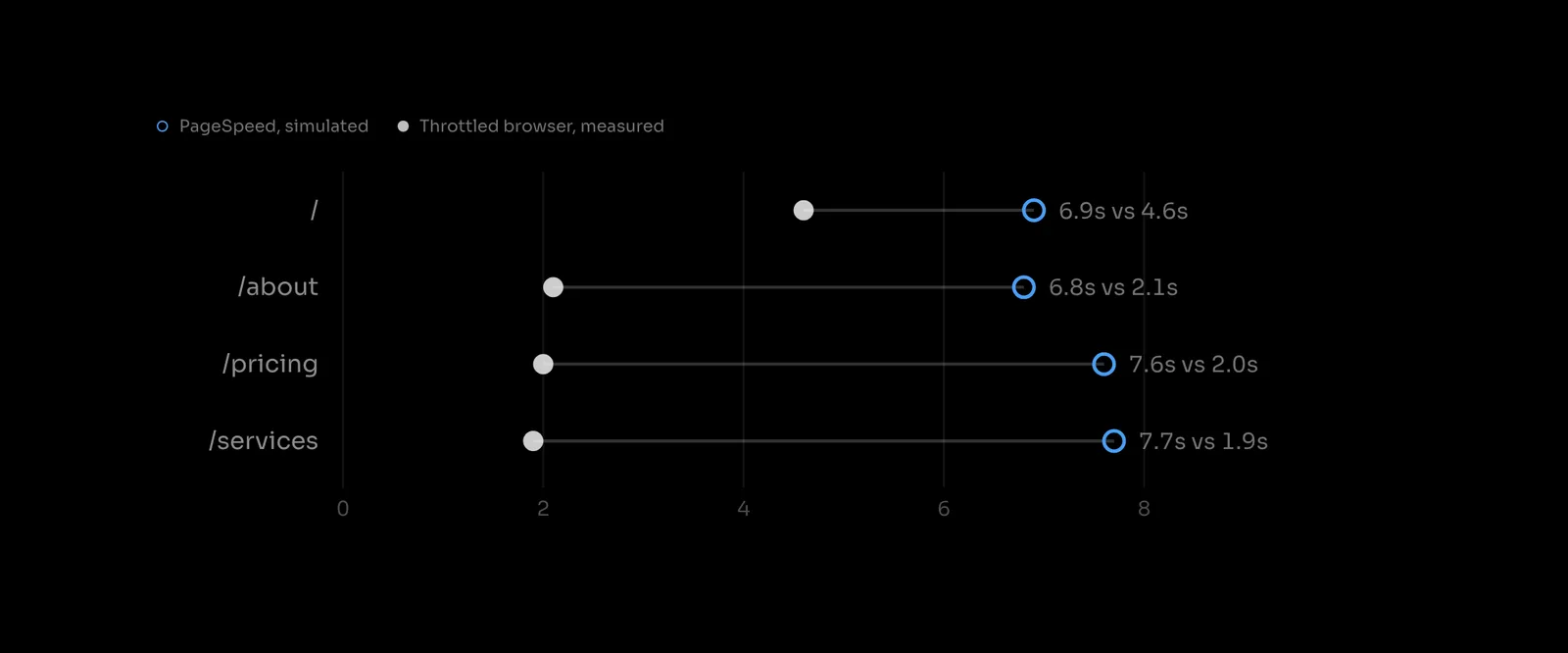
The first thing it surfaced was a disagreement. PageSpeed’s simulated mobile Lighthouse runs reported Largest Contentful Paint between 6.8 and 8.0 seconds. My own throttled local runs measured 2.0 to 2.6 seconds.
My first instinct was that PageSpeed was wrong, and I was ready to write that down. It is not that simple. Google’s own documentation explains that its lab data comes from a simulated Lighthouse environment, while local and field measurements use different devices, networks, cache states, and locations. The two numbers were never measuring the same thing.
The finding was not that a number was false. It was that neither number meant anything without its measurement context, and no single vendor’s dashboard shows you that, because each one displays its own figure with complete confidence and never shows you the one that disagrees.
The APIs supplied the data. Putting the values, their sources, and their conditions in one place supplied the meaning. That part was a design decision, not an API call.
When should a product team build its own agentic interface?
Build one when several of these are true:
- The workflow crosses multiple platforms or data sources.
- Operators make the same judgement repeatedly.
- The vendor interface hides context the decision depends on.
- Delayed intervention is expensive.
- You need approvals, audit history, or exception handling.
- A chat transcript cannot show the current operational state.
Keep the vendor interface where it already fits. Use a conversational surface for lightweight, reversible work. Build a focused operational surface when the team needs shared context, repeatability, and control.
Production software still needs authentication, permissions, data contracts, security, monitoring, and maintenance. What AI-assisted development changed is the cost of finding out whether the idea is right. A small team can validate a useful interface now before committing to a platform build.
The interface did not disappear. It came unbundled.
Platforms becoming APIs did not end interface design. It separated the interface from the vendor that owns the system underneath.
AI tools make a prototype faster to build. They do not decide which information belongs together, which states matter, where trust breaks, or when a person should intervene. Somebody still has to sit with the workflow and decide.
The opportunity is that more teams can now choose which interface is worth owning, and most have not noticed they are allowed to.
Frequently asked questions
- What is an agentic interface?
- A human-facing surface for monitoring and controlling an AI agent. It shows current state, inputs, actions, outcomes, exceptions, and the interventions a person can make.
- Do AI agents replace dashboards?
- Not entirely. Chat replaces some lookup and command interfaces. Dashboards stay useful for repeated monitoring, comparison, approvals, exception handling, and decisions where being wrong is expensive.
- What role does MCP play in interface design?
- MCP gives compatible AI clients a standard way to reach external tools and data. It does not decide what a person should see. Teams still choose what to expose, how to represent agent state, and where humans keep control.
- Can a small product team build a custom AI interface?
- Yes, for a focused prototype. AI-assisted development makes that practical for a small team. Production work still benefits from engineering review, particularly around authentication, permissions, financial actions, sensitive data, and reliability.
- Is a headless platform the same as an API-first platform?
- They overlap. Headless usually describes a system whose interface layer has been separated from its backend. API-first describes a platform built so every capability is reachable programmatically. Salesforce Headless 360 is positioned as both.
Primary sources
- Salesforce: Headless 360 overview and hosted MCP server beta documentation
- Anthropic: Introducing the Model Context Protocol
- MCP project: Introducing the MCP Registry
- Linux Foundation: Formation of the Agentic AI Foundation
- OpenAI: Remote MCP server support in the Responses API
- Google: MCP support in the Gemini API and About PageSpeed Insights
- First-party MCP documentation: Stripe, Figma, Linear, Supabase