





Project2025

Rizzy

An AI lead-generation agent — the conversation UX and the operator-facing product around it.

Rizzy cover

The problem

AI lead-generation agents frequently run into complex edge cases or draft incorrect messages when parsing customer intent. Traditional platforms fail because they treat the AI as a direct customer-facing black box, giving human operators no way to inspect or correct messages before they are dispatched. Operators needed a command center that could monitor hundreds of active conversations, flag low-confidence steps, and enable instant human-in-the-loop overrides.

Process

I designed a split-panel interface with dual focus: on the left, a unified inbox displaying active conversations and their priority scores; on the right, the agent’s internal thought stream exposing retrieved context, model confidence levels, and database citations. I built a confidence slider that allows operators to adjust the threshold for auto-approval dynamically, and integrated inline text editors for instant message editing before sending. One persistent activity strip + triage queue pattern was reused across the surface.

Outcome

This case study is framed around the verifiable product work rather than unsupported growth metrics: a safer operator surface with approval queues, transparent logs, and inline correction patterns that make human review visible before AI-written messages leave the system.

Solution highlights

Human-in-the-loop triage

Routes lower-confidence or higher-risk outbound messages into manual review, preserving operational safety without slowing every conversation.

Live thought-stream logging

Displays the agent state, retrieved context, and decision points so an operator can understand why a message is waiting, approved, or blocked.

Dynamic confidence bounds

Lets operators tune approval strictness by account priority, so higher-value conversations can receive stricter review without changing the whole workflow.

Inline content correction

Enables operators to edit draft responses directly in the feed, keeping the correction in the same context as the agent trace.

One activity strip across views

Tokens consumed, events per hour, and intervention count stay visible in every state so the operator always knows load and risk.

Operational visibility

The design names the operational signals a team needs to watch — review load, intervention count, confidence, and error states — without claiming unsupported analytics outcomes.

The surfaces

Core surfaces from the operator console — setup, supervision, auditing, and intervention — with the decisions behind them.

Agent setup as a conversation

Agent setup as a conversation

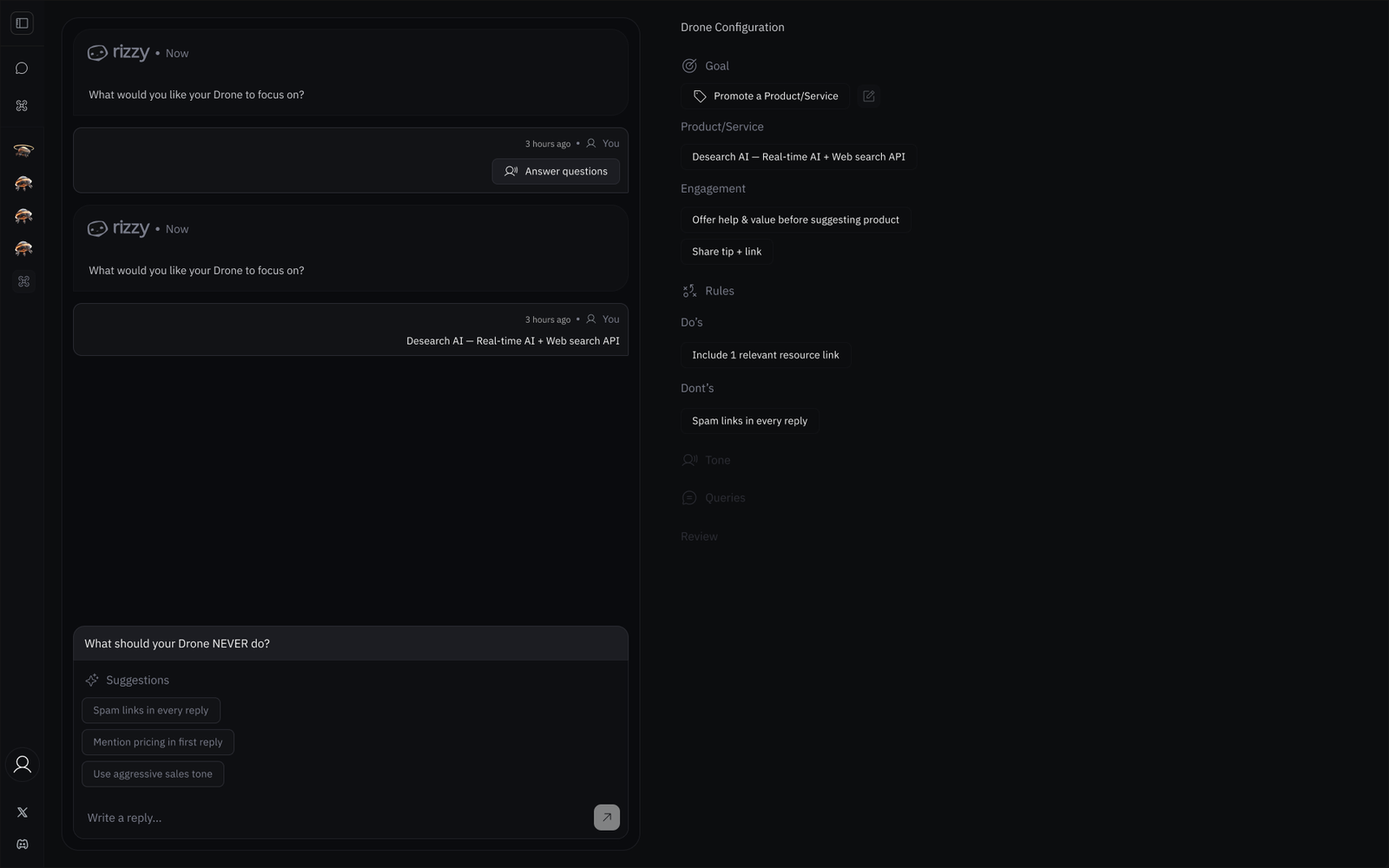
Creating a drone is a chat, not a form. The agent asks focused questions — what to focus on, what it should never do — and every answer lands as structured configuration in a live side panel the operator can audit and edit.

  • Suggestion chips ("Spam links in every reply", "Use aggressive sales tone") make guardrails one tap instead of a blank prompt box.
  • The configuration panel mirrors each answer as Goal / Product / Engagement / Rules — no hidden prompt state.
  • Do’s and Don’ts are first-class rules, set before the agent ever sends a message.
See what the agent finds before it runs

See what the agent finds before it runs

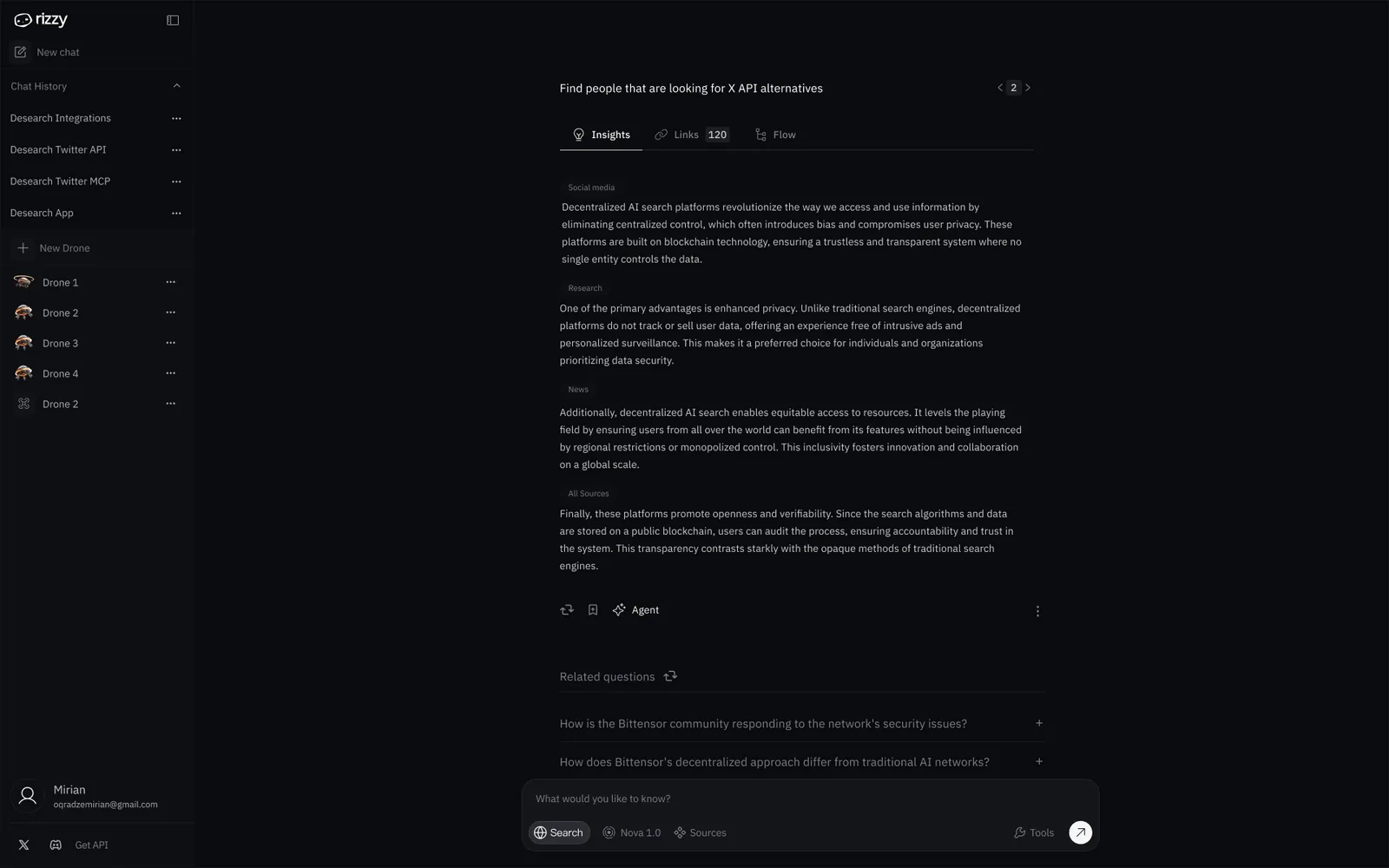
The step right after setup: run the query manually and inspect the agent’s output — insights grouped by source, every retrieved link, the flow it took — before switching it to automatic lead search.

  • Insights are grouped by source class — Social media, Research, News, All Sources — so the operator sees where each claim comes from.
  • The Links tab counts and lists every source retrieved for the answer.
  • Only after the output looks right does the operator set the drone to search for new leads automatically.
One home for every drone

One home for every drone

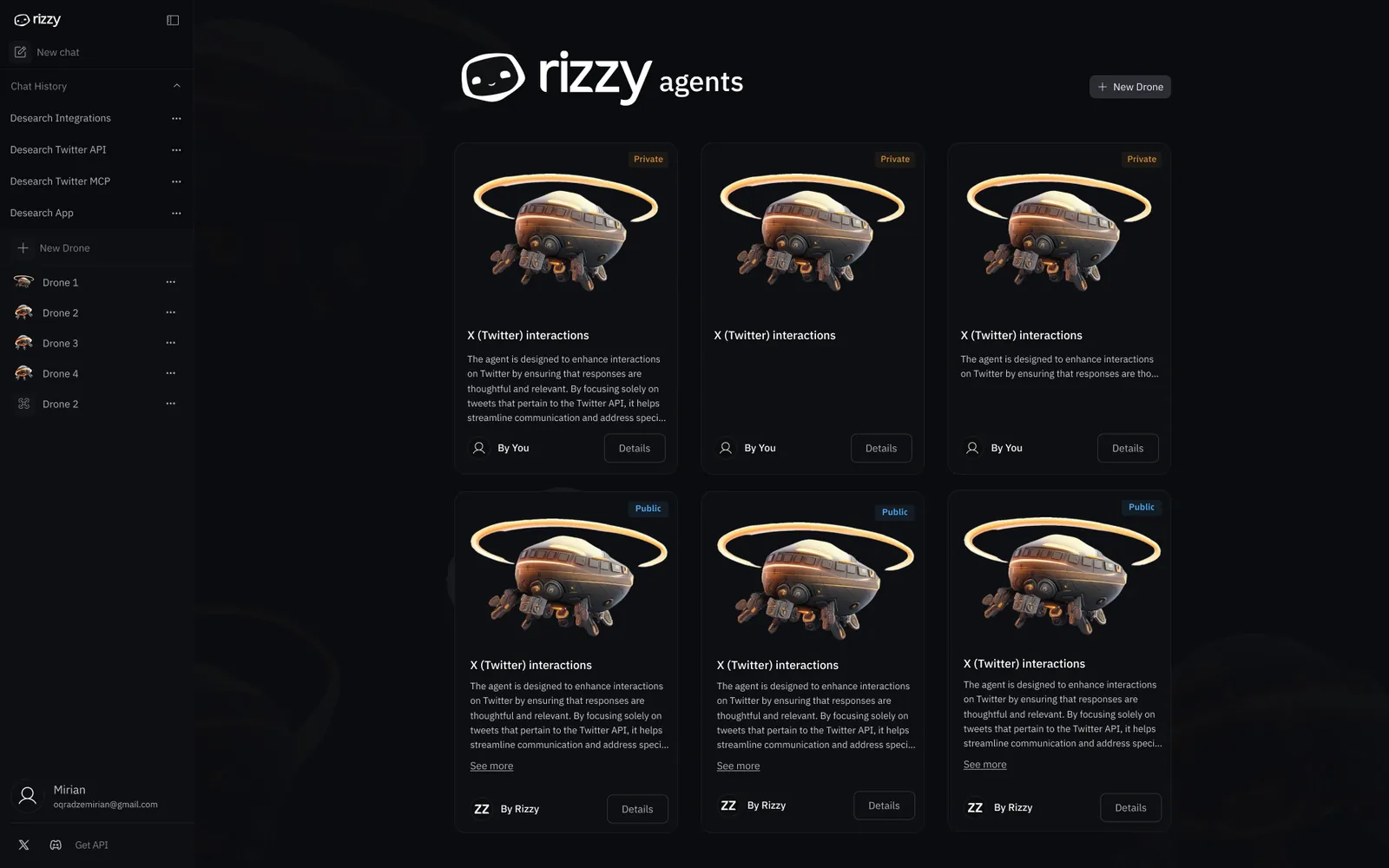
Agents live in a card gallery split between your private drones and public presets. Each card states in plain language what the agent does before you open it, so the fleet stays legible as it grows.

  • Private / Public badges separate your drones from shareable presets.
  • Every card leads with the agent’s scope, not its settings.
  • "New Drone" keeps the next agent one click away from anywhere in the fleet.
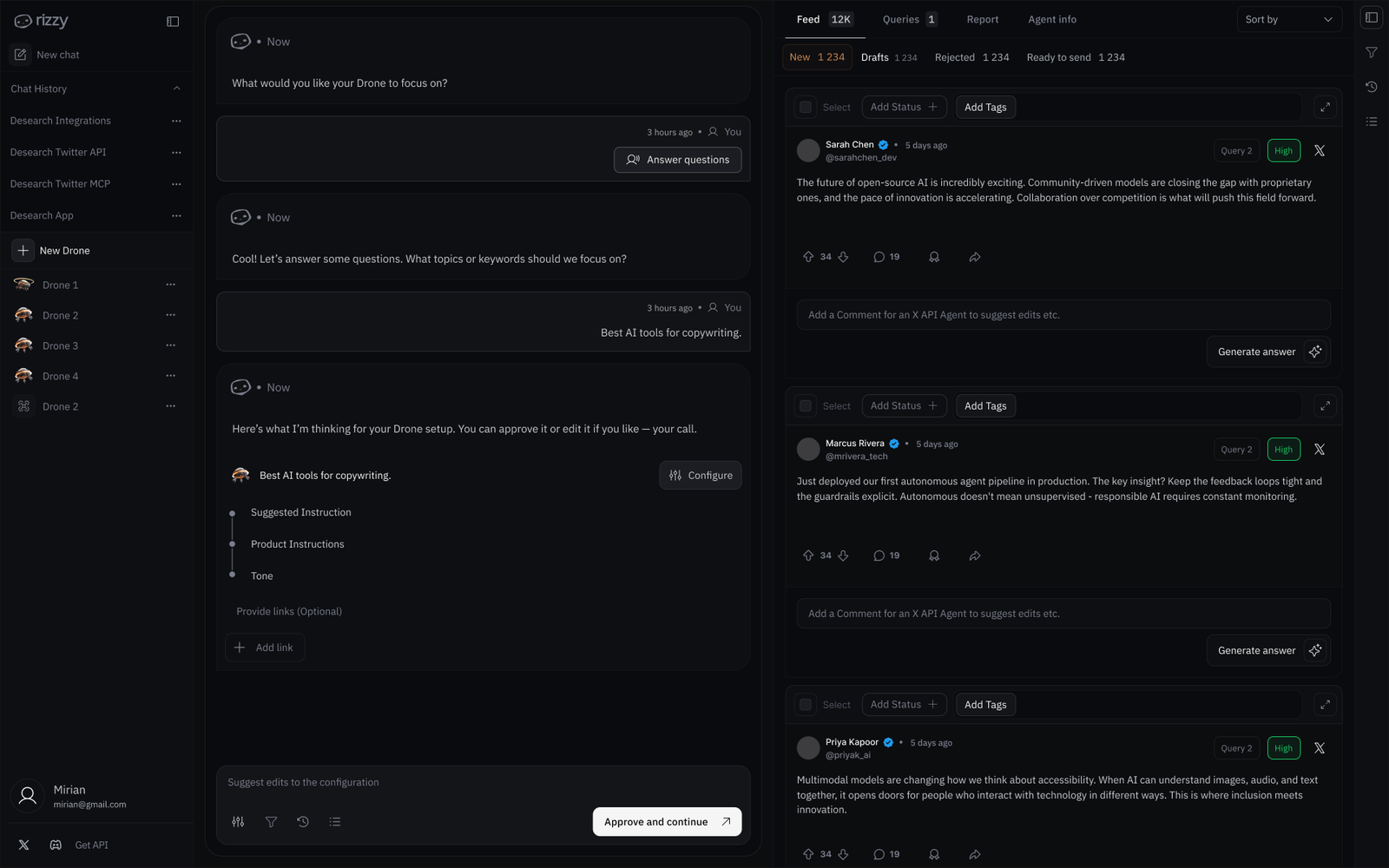
Unified console for running agents

Unified console for running agents

Designed a dense control surface that pairs the drone’s setup conversation with its live feed — every drafted reply lands in a status queue (New, Drafts, Rejected, Ready to send) with priority tags, so the operator reviews before anything ships.

  • Status tabs split the feed into New / Drafts / Rejected / Ready to send.
  • Priority chips and query tags surface the conversations worth attention first.
  • Inline comment + “Generate answer” keep corrections in the same pane as the draft.
  • Approve-and-continue confirms the configuration before the drone goes live.

Try the surfaces

The calibration step and the operator console — live, not screenshots. Switch tabs, change the status queue.

Find people that are looking for X API alternatives

run 2 / 3
Social media

Decentralized search platforms are gaining traction with developers frustrated by rate limits — most threads recommend evaluating index freshness first.

Research

Privacy is the primary stated advantage: platforms that do not track or resell queries are preferred by teams handling sensitive data.

News

Recent coverage highlights equitable access — users in restricted regions benefit most from decentralized result serving.

Output looks right?
S
@sasha.devQ1High

Anyone found a decent alternative to the official API? Rate limits are brutal…

M
@mkarlsenQ2

Looking for a search SDK that does semantic + keyword in one call.

D
@datawitchQ1

We keep getting stale results from our current provider. Recommendations?

tokens48.2kevents/h126interventions3live